

Model Deploy: End-to-End Guides for Converting, Optimizing, and Running AI Models on the Target Platform
The iQ-Studio Model Deploy feature, provided by iQ-Foundry, offers an end-to-end workflow for preparing AI models for deployment on the target platform. The flow covers model quantization, model conversion, quality assurance, and target inference so users can move from a training artifact to deployable outputs with a guided process.
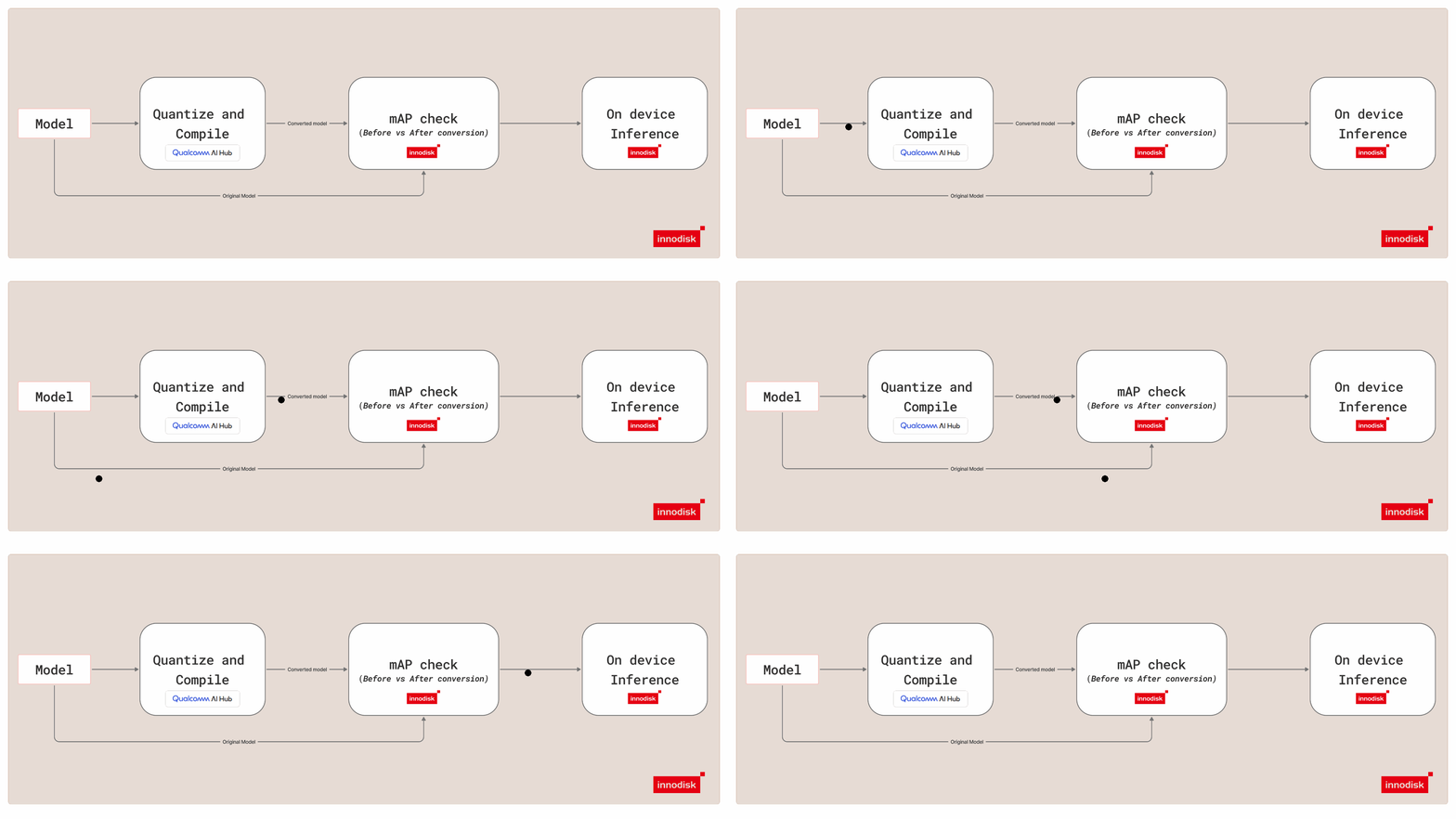
Overview
Model Deploy is a bring-your-own-model workflow. You start with your own custom trained model or pre-trained model artifact and use the iQ-Foundry flow to prepare it for deployment on the target platform.
The flow is organized around four stages:
- 1Quantize the source model.
- 2Convert the model to a deployable format.
- 3Validate model quality with accuracy checks.
- 4Deploy the model and run inference on the target.
The workflow supports model optimization and quantization paths, including INT8 deployment, while aiming to preserve model quality. The comparison below shows the FP32 result beside an INT8 result after model conversion (COCO validation dataset).
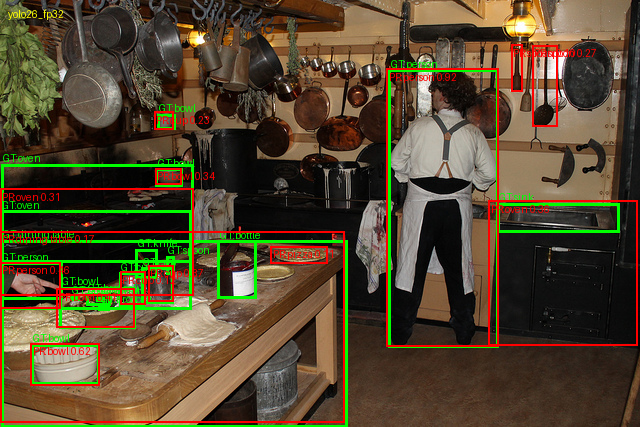
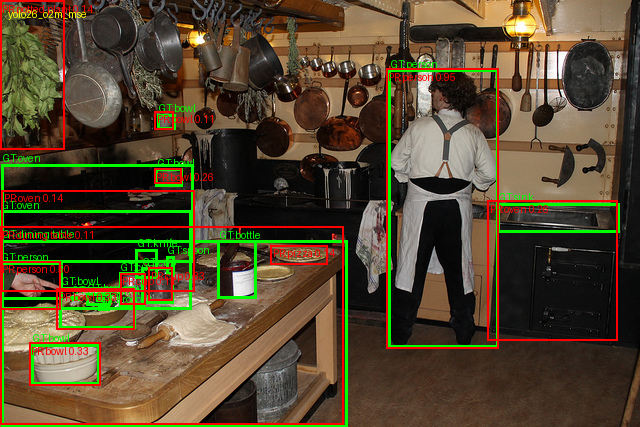
PredictionGround truth
Model Selection Guide
Use the iQ-Foundry Model Selection Guide to choose a model configuration based on your application's accuracy, speed, size, and runtime requirements.
For detailed accuracy, model size, and inference latency results, see the iQ-Foundry Model Benchmark.
Get Started
The computer vision tutorials for Model Deploy are available under tutorials/model-deploy/cv.
To follow the current YOLO workflow, start with cv/yolo26/README.md.