

iQS-VLM: Chat with the VLM through Open WebUI
SDKVLMOpen WebUIGenieX
Besides the live camera demo, iQS-VLM has a chat mode. It runs the same model, powered by GenieX, behind Open WebUI, so you can chat with the model and send it your own images from a browser on your development machine.
Try the iQS-VLM application first. This guide requires BSP v2.5.0 or later.
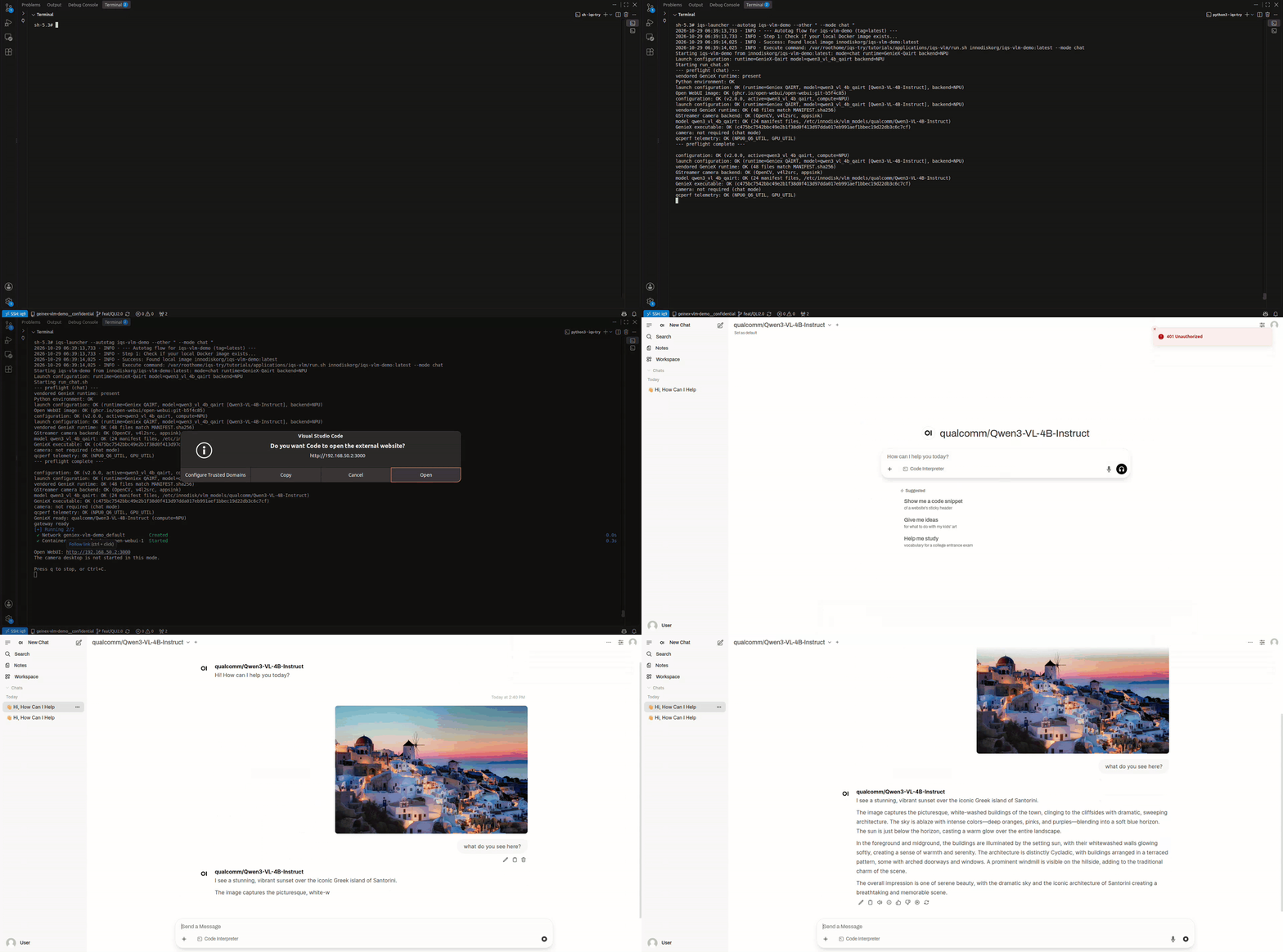
Chat mode needs no camera and no monitor.
Chat with the VLM
- 1Start the demo in chat mode on the platform:
This runs Qwen3-VL-4B on the NPU. To chat with LFM2.5-VL-450M instead, add the runtime and the backend (
NPU,CPU,GPUorHYBRID):The first chat start downloads the Open WebUI image, which takes a while. Later starts use the downloaded image. - 2When the model is ready, the terminal prints the Open WebUI address,
http://<device_ip>:3000. Open it in a browser on your development machine. - 3Open WebUI opens with the model already selected. Type a message, or attach an image with
+, and start chatting!
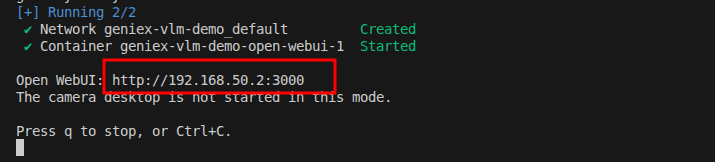
To stop chat mode, press q or Ctrl+C in the terminal.
Technical Details
- 1Chat mode starts the model and an OpenAI-compatible API server on port
8000, then starts Open WebUI on port3000as a separate container connected to it. Your chats and settings are kept between runs. - 2You can also call the API directly, for example to list the model that is running:
It implements
GET /v1/modelsandPOST /v1/chat/completions. For the request format, see the OpenAI Chat Completions API. - 3Logs are saved on the platform in
/var/lib/iqs-vlm-demo/logs. To follow them live while the demo runs, open another terminal on the platform:Log file What it shows gateway.logAPI requests from Open WebUI and the responses geniex.stdout.log,geniex.stderr.logModel loading and inference output from GenieX lifecycle.logStartup and shutdown steps