

Qualcomm OTA Guide
This guide provides instructions for updating firmware and operating systems on Qualcomm Linux platforms using Capsule and OSTree update methods.
Core Software Stack & Architecture
The following diagram illustrates the software stack transition and the positioning of OTA updates within the system.
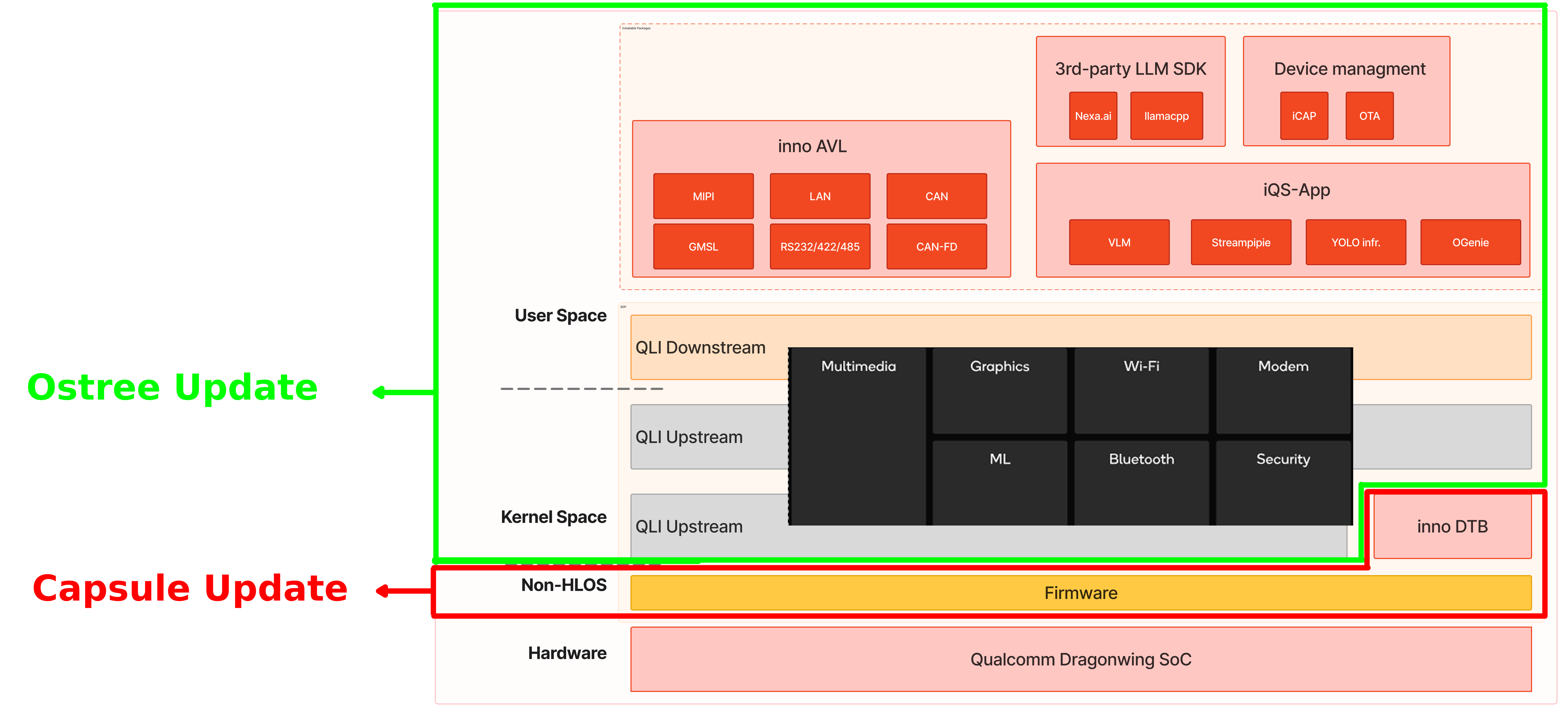
- Capsule Update: Uses a UEFI capsule to update firmware on Qualcomm Linux devices. The capsule is downloaded to the EFI partition during normal operation and applied automatically on the next reboot.
- OSTree Update: Provides atomic, version-controlled Linux OS updates. Devices pull filesystem snapshots from a repository, allowing for safe rollbacks if an update fails.
How to Use — Capsule Update
1. Prepare the .capsule file
Please refer to Generate Capsule for detailed generation instructions.
-fwver option is used with capsule_creator.py to specify the firmware version number.2. Update the .capsule file
Refer to the Capsule update flow for the execution process.
3. Verify the Update
In Step 1 (Prepare the .capsule), if the -fwver option is used to specify the version as 0.0.0.9527, the update can then be verified through the following steps:
- UART Boot Log: The boot log will display the
FwVervalue as9527 (0x2537). - System Command: After booting into the system, run the following command to check the firmware version:
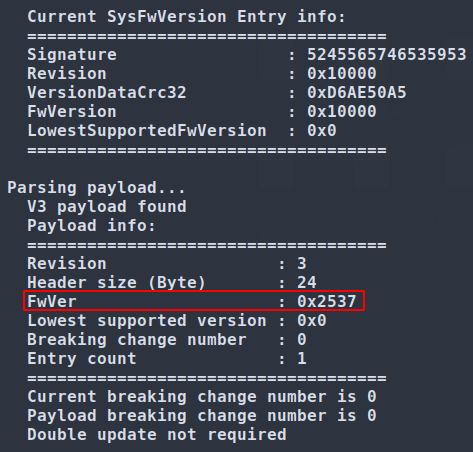

The output should be 9527.
This confirms that the capsule has been successfully updated. For further details, refer to Capsule update logs and Capsule update flow.
How to Use — OSTree Update
1. Prepare & Update the OSTree
Refer to the Linux OS update flow using OSTree for step-by-step instructions.
2. Verify the Update
Step 6 of the Linux OS update flow using OSTree explains how to verify the update.